
Case 01
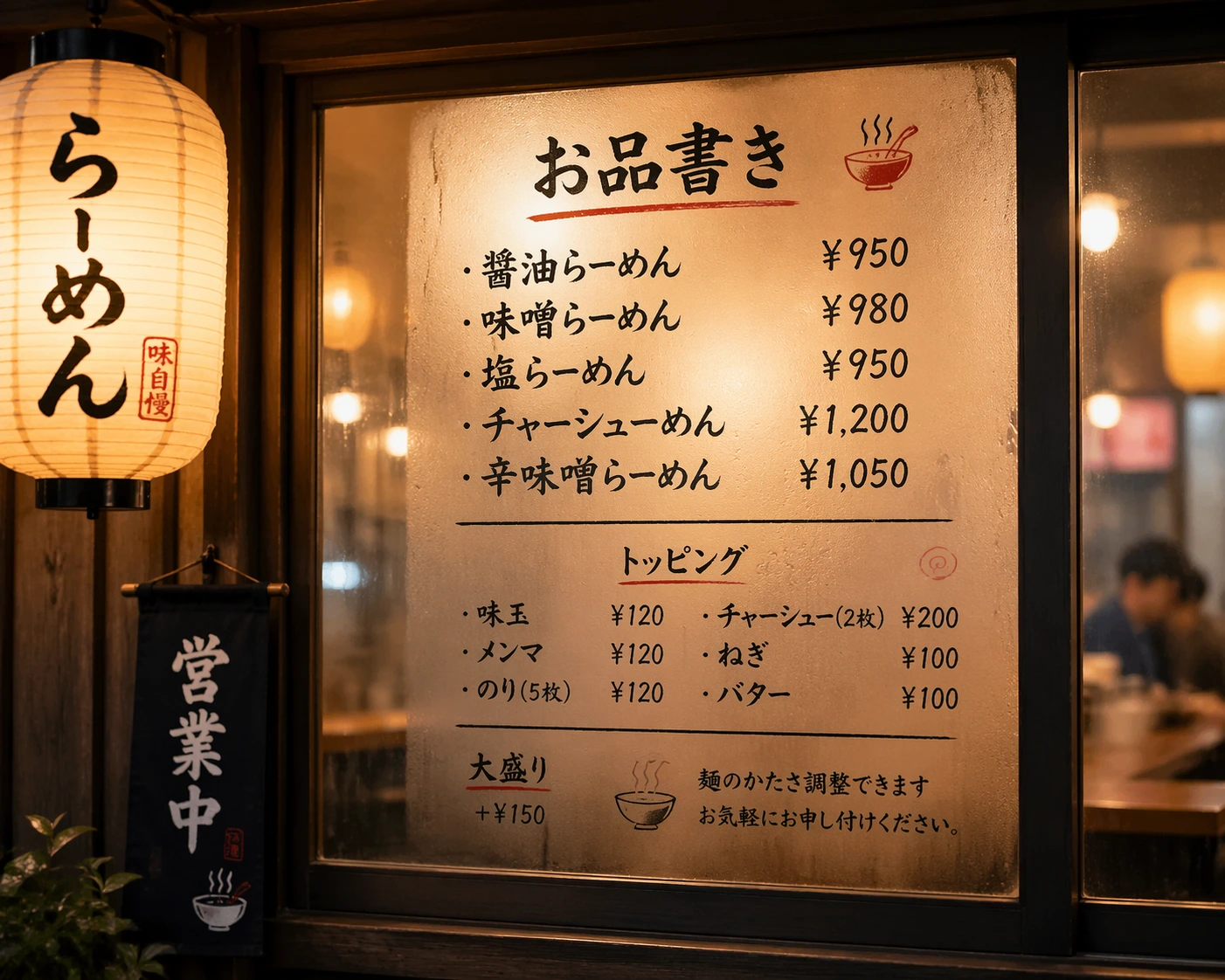
Japanese ramen shop poster
Handwritten menu on a steamed window, warm lantern lighting — every character legible and on theme.
Sign in to claim 20 free credits — no credit card required
A quick look at what Images 2.0 actually produces — real outputs across the workflows teams run every day.
Handwritten menu on a steamed window, warm lantern lighting — every character legible and on theme.
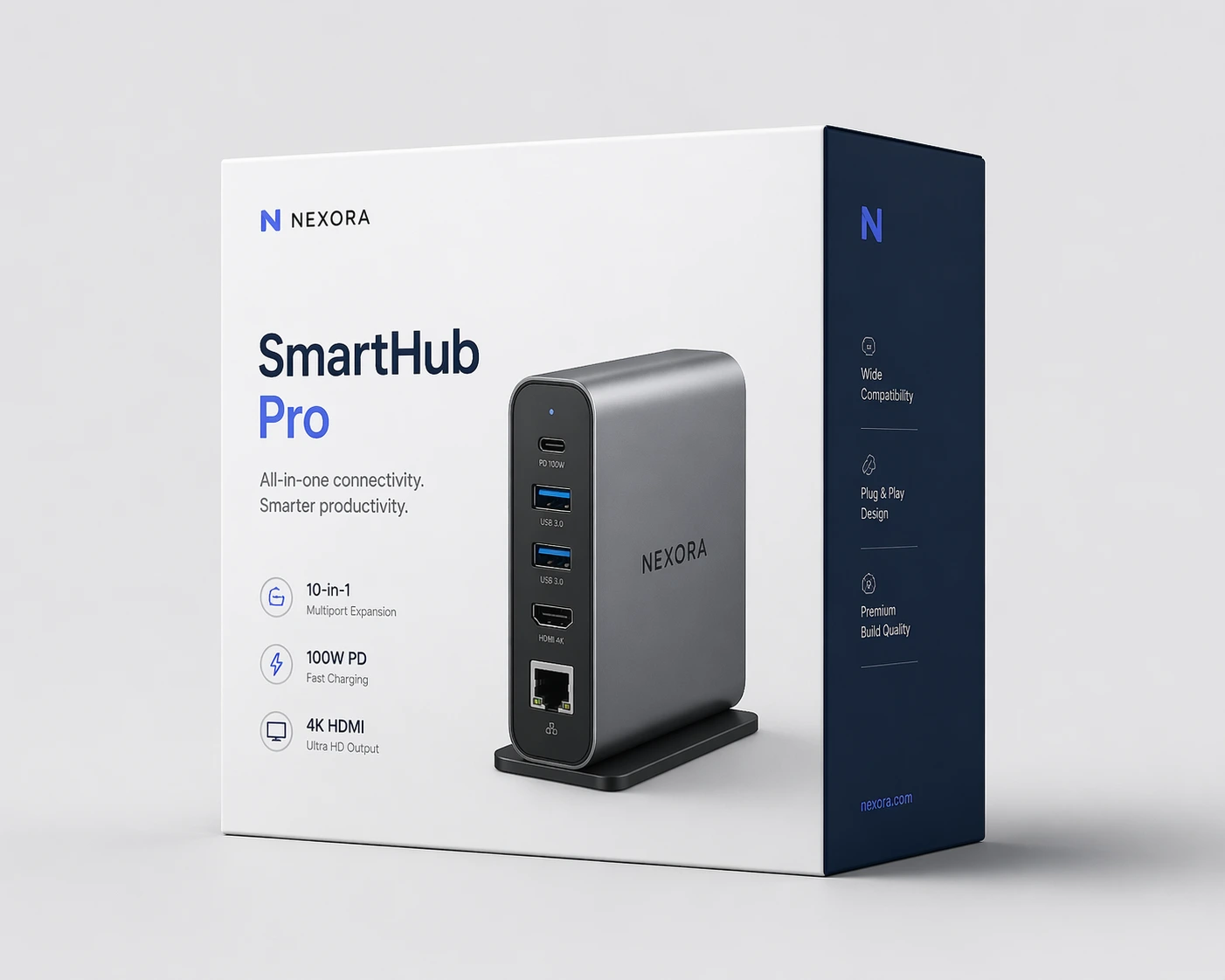
Studio-lit electronics box with clean typography and on-brand color palette, pitch-deck ready.
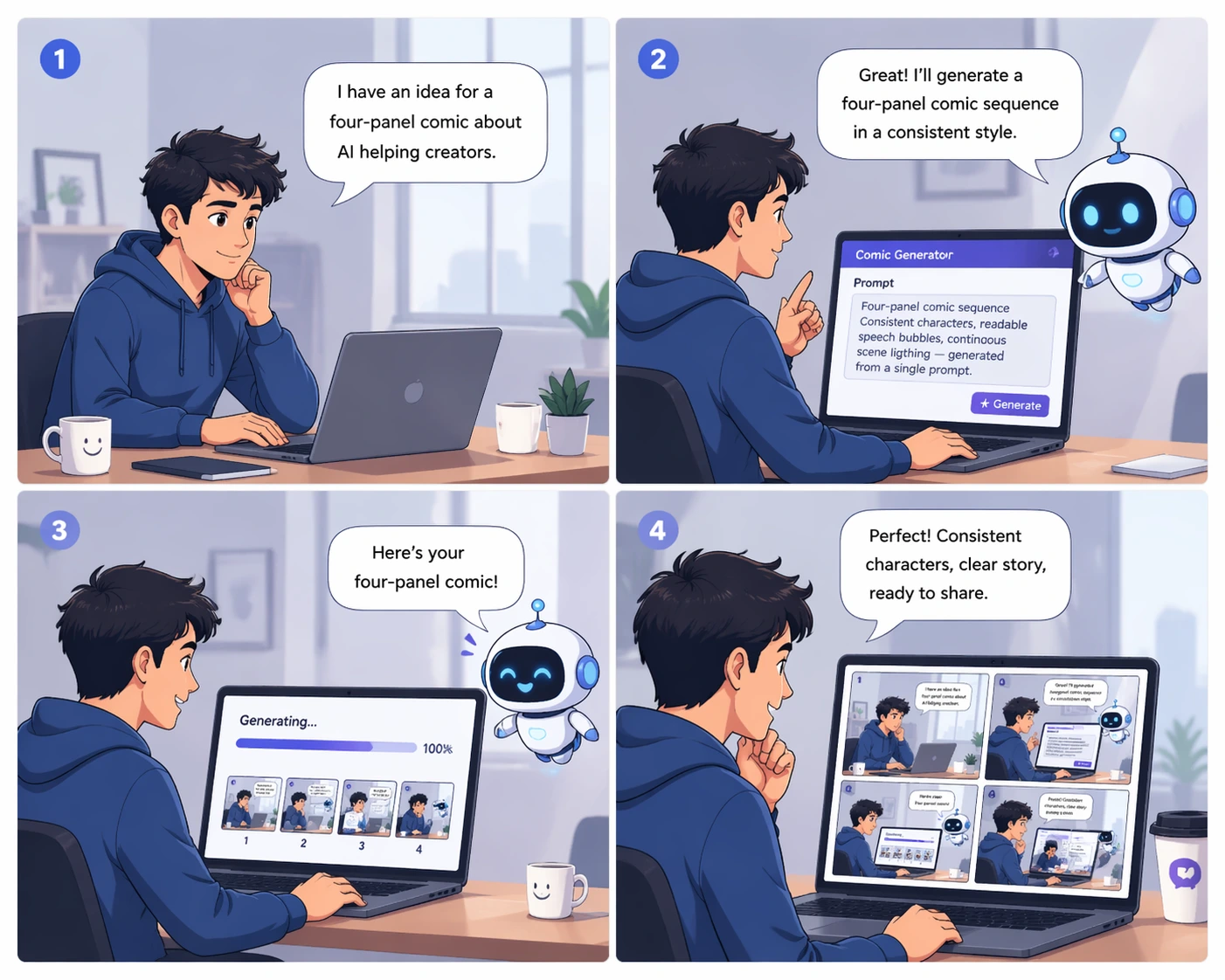
Consistent characters, readable speech bubbles, continuous scene lighting — generated from a single prompt.
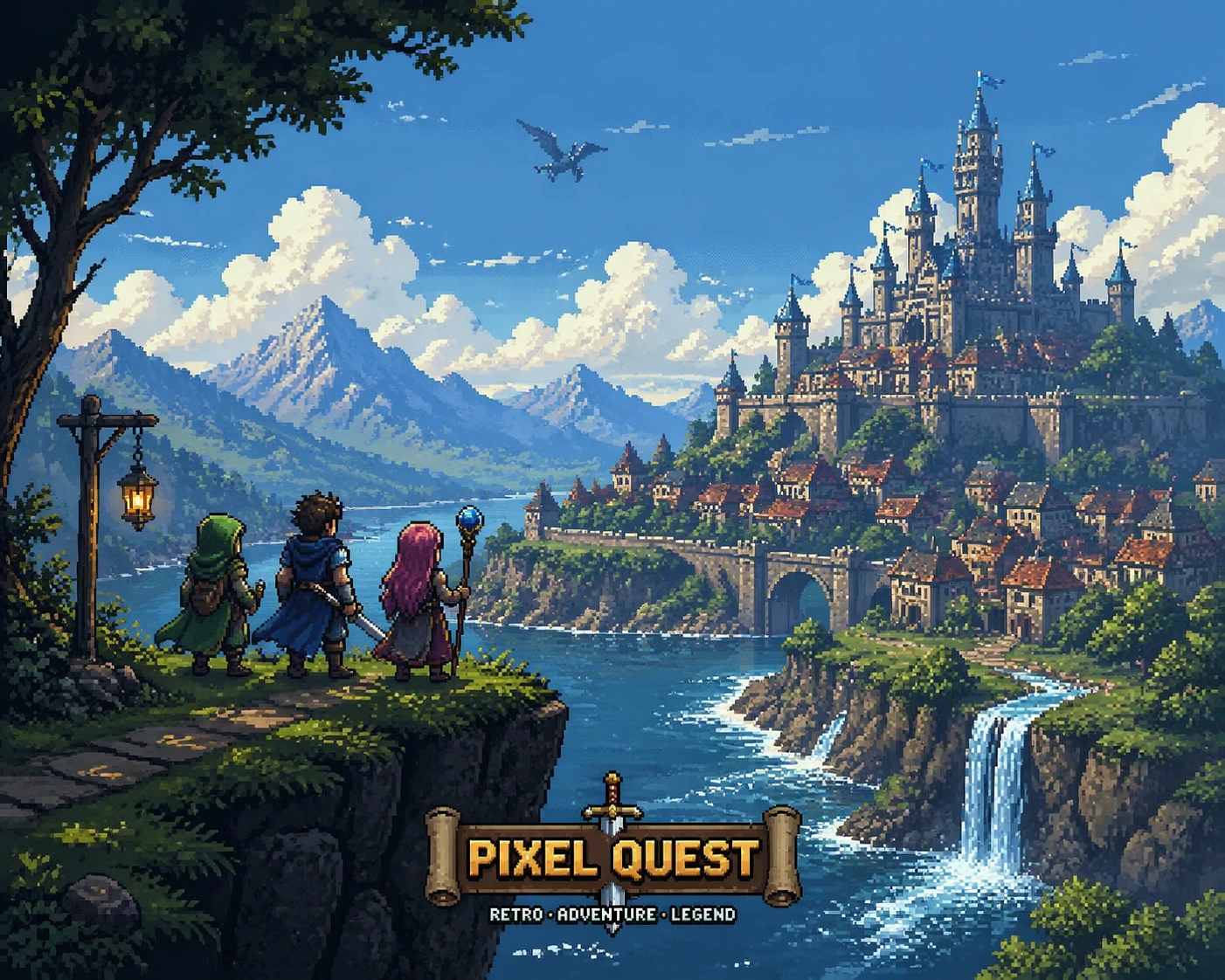
Tile-accurate retro scene with detailed sprites and lighting, ready for concept pitches.
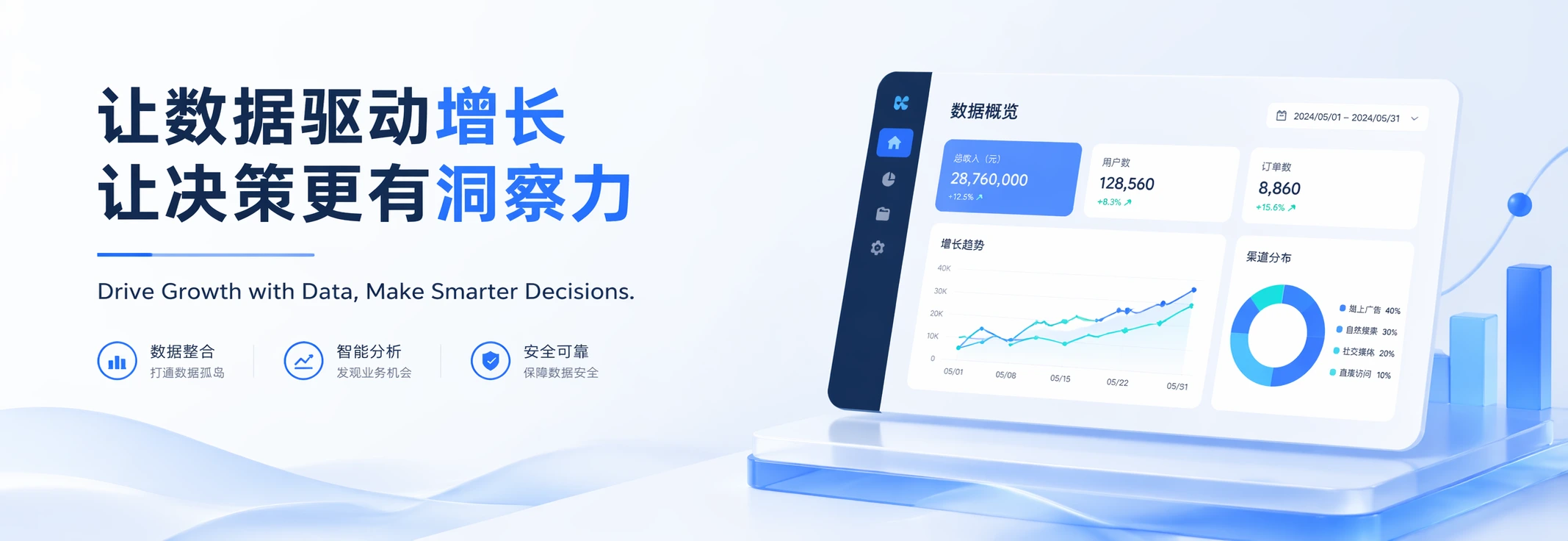
3:1 wide banner with Chinese hero headline and English subheading, both rendered cleanly in one pass.
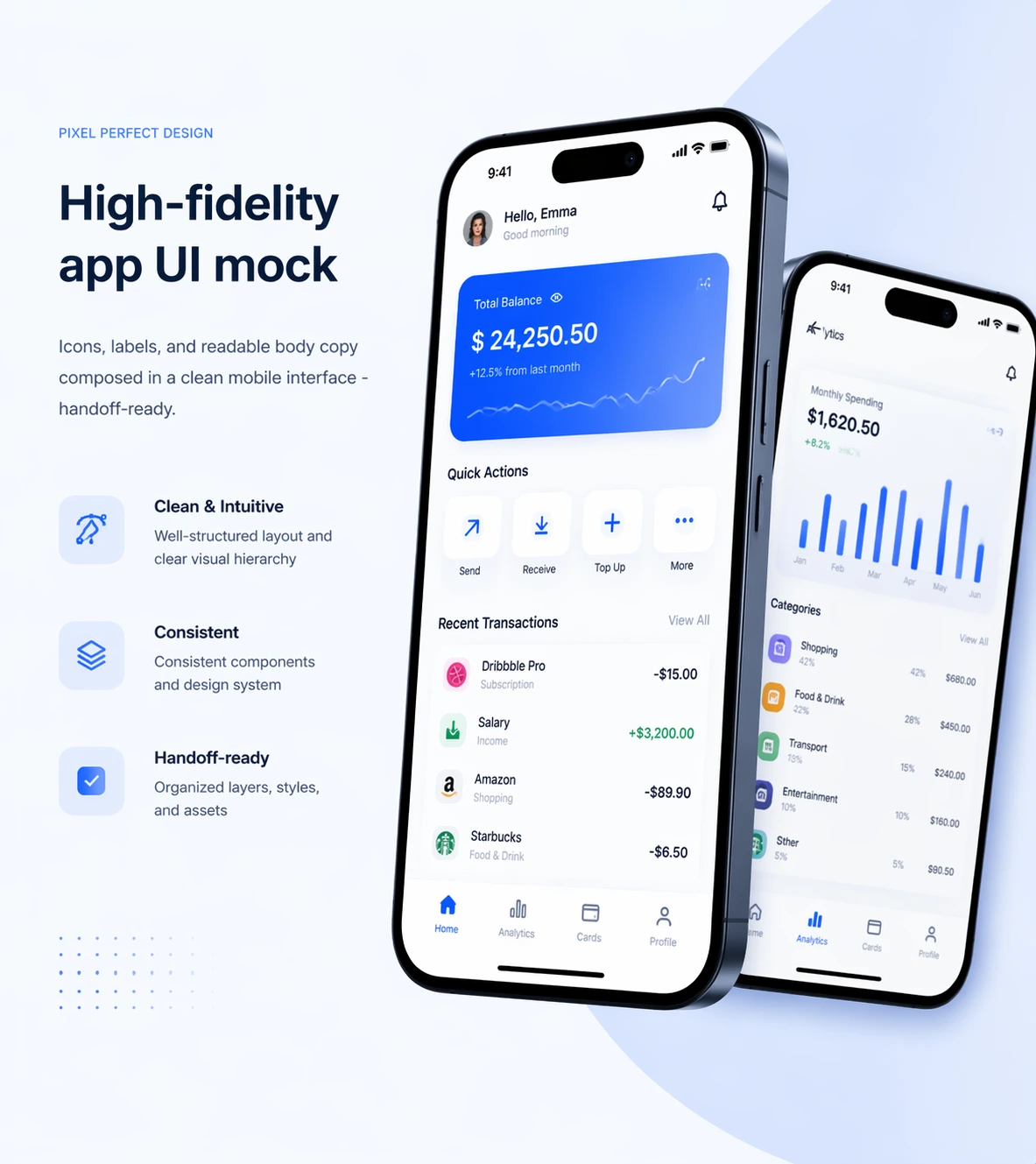
Icons, labels, and readable body copy composed in a clean mobile interface — handoff-ready.
Image 2 is benchmarked on the stuff other generators fumble — dense text, consistent sets, and real aspect ratios you can use at work.
Max resolution, sharp enough for posters and pitch decks
Coherent images from a single prompt with thinking mode
Non-Latin scripts rendered cleanly — JP, KR, ZH, HI, BN
Core capabilities
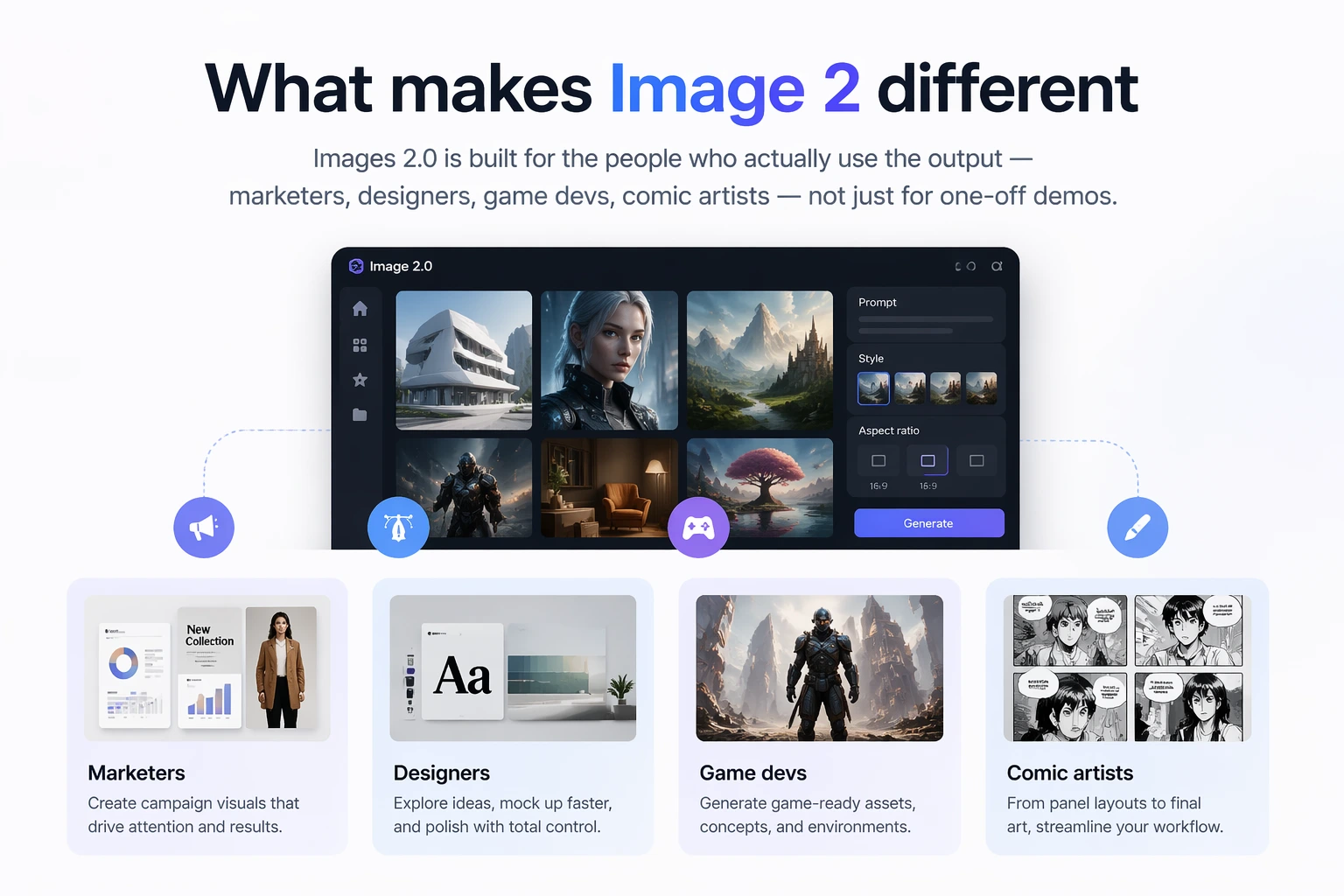
Images 2.0 is built for the people who actually use the output — marketers, designers, game devs, comic artists — not just for one-off demos.
Place objects correctly, respect spatial relationships, keep tiny icons and UI elements intact. Image 2 reads your prompt closely instead of shipping something vaguely in the right neighborhood.
From headlines to dense paragraphs, Image 2 renders legible on-image text — including Japanese, Korean, Chinese, Hindi, and Bengali. Posters, comics, and product labels come out looking designed, not translated-over.
Wide banners, vertical mobile screens, posters, bookmarks, square social — Image2 generates ratios from 3:1 to 1:3 in clean 2K. Ask for the ratio you need, or regenerate an existing image into a new size.
Photo, cinematic still, pixel art, manga, 3D render — Images 2.0 captures the defining texture, lighting, and detail of a style instead of approximating it. Useful for storyboarding, game prototyping, and brand work.
Three places other AI image generators routinely break — and Image 2 doesn't.
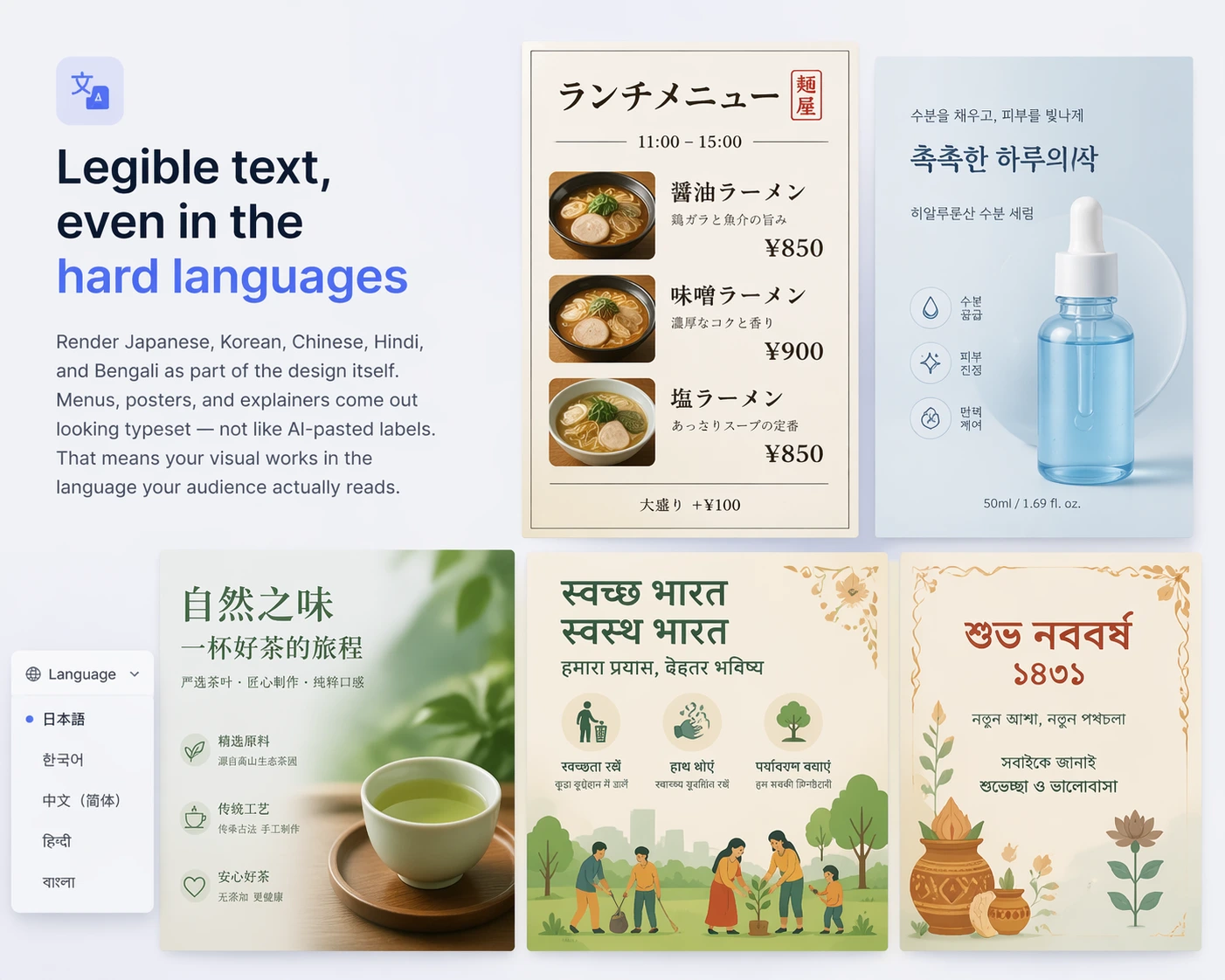
Render Japanese, Korean, Chinese, Hindi, and Bengali as part of the design itself. Menus, posters, and explainers come out looking typeset — not like AI-pasted labels. That means your visual works in the language your audience actually reads.
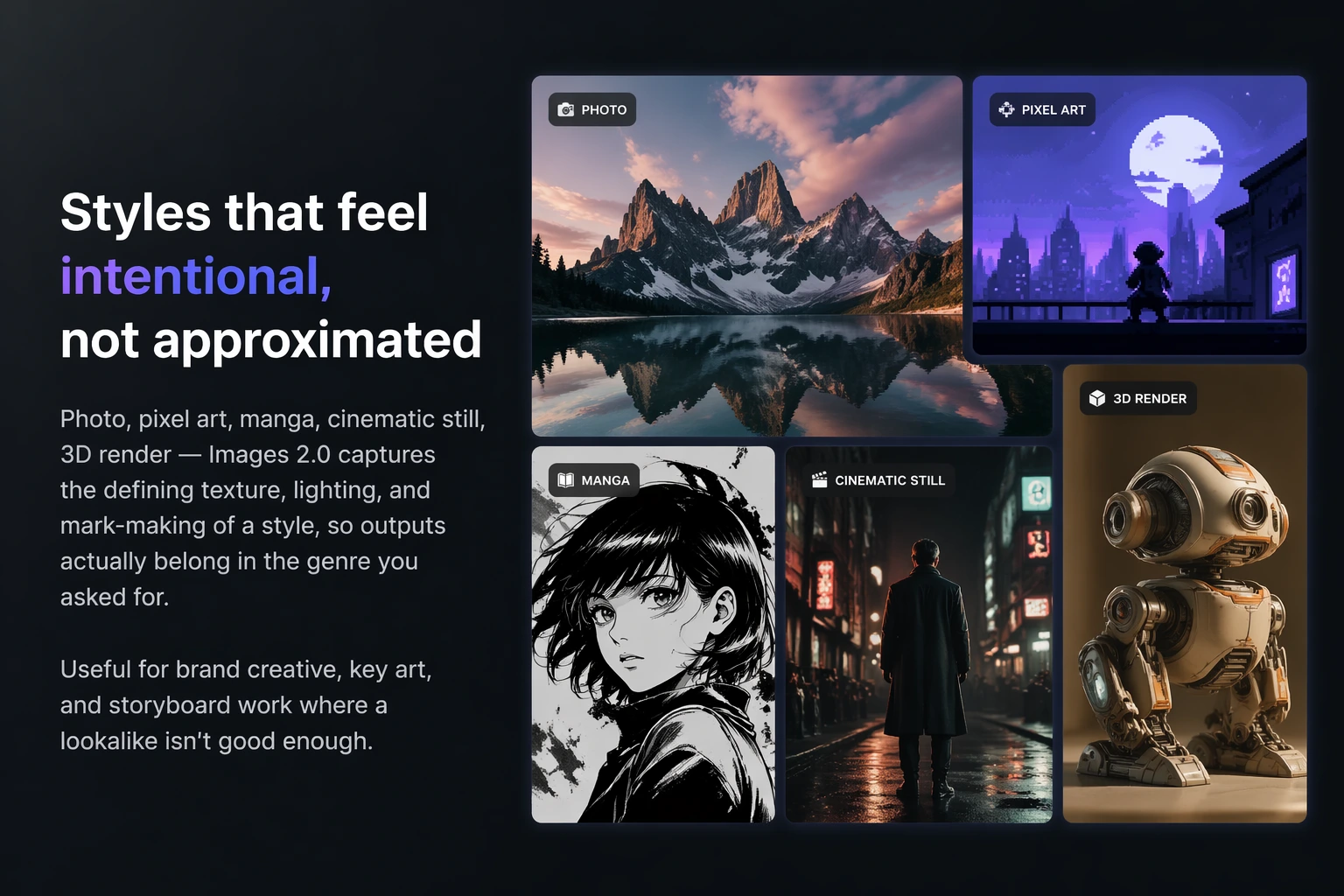
Photo, pixel art, manga, cinematic still, 3D render — Images 2.0 captures the defining texture, lighting, and mark-making of a style, so outputs actually belong in the genre you asked for. Useful for brand creative, key art, and storyboard work where a lookalike isn't good enough.
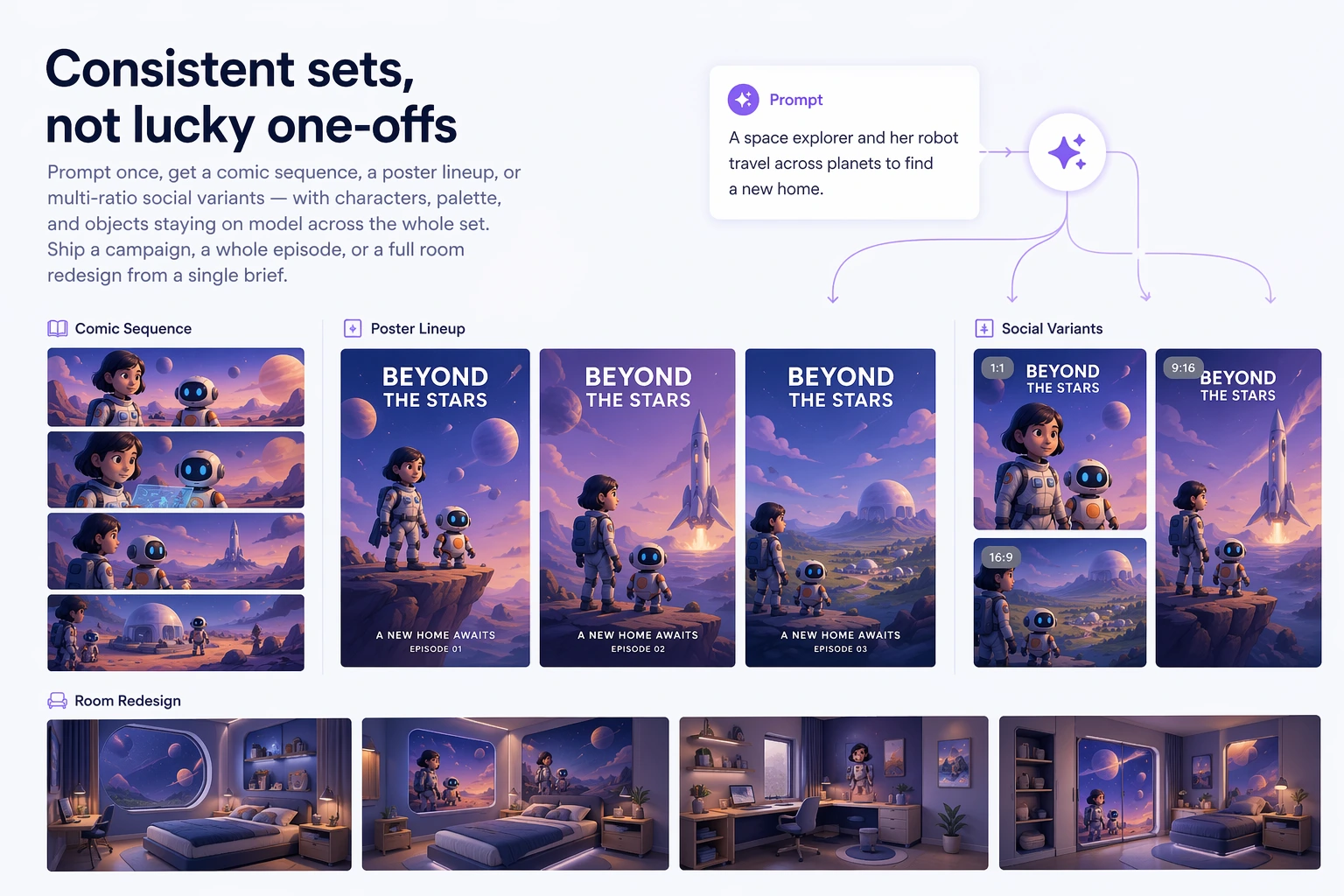
Prompt once, get a comic sequence, a poster lineup, or multi-ratio social variants — with characters, palette, and objects staying on model across the whole set. Ship a campaign, a whole episode, or a full room redesign from a single brief.
Practical advantages
Fewer re-prompts, fewer Photoshop fixes. Image 2 is built so your first or second output is usable — not your tenth.
With thinking mode on, Images 2.0 can generate a whole set in one go — a comic page sequence, a set of room redesigns, a poster lineup, or cross-ratio social variants — with characters and objects staying consistent across every output.
Headlines, captions, and multilingual labels render coherently as part of the design, not glitchy gibberish. Image 2 handles explainers, menus, and campaign creative that other models butcher.
Image2 draws on visual and factual knowledge through late 2025, so maps, references, and contextual details feel current. It fills in the gaps instead of inventing dated or wrong details.
Drop in references, a brief, or a messy outline — Image 2 can structure and compose a final deliverable with clean layout and whitespace. Less back-and-forth, more ship-ready output.
How it works
No tutorial needed. Image 2 keeps the workflow simple, even when the brief isn't.
Describe what you want, what matters, and what must stay readable. Image 2 reads your instructions closely instead of improvising.
Choose any ratio from 3:1 wide to 1:3 tall. Turn on thinking mode when you want a set of up to 10 coherent images from one prompt.
Images 2.0 composes the layout, renders on-image text, and outputs at up to 2K — in one pass, no stitching required.
Regenerate into a new ratio, tweak the prompt, or download production-ready assets and ship.
From solo creators to brand teams, Images 2.0 fits real production workflows — not just demos.
Campaign visuals, product shots, and social assets with on-brand text, across every channel ratio you need.
Concept art, key art, pixel tiles, and 3D-style renders — iterate on visual direction before committing to production.
Generate sequential panels or full storyboard sheets with consistent characters and readable dialogue.
Dense-text posters, explainer diagrams, and high-fidelity interface mocks designers can actually hand off.
Early users putting Images 2.0 through real client work, not demos.
I burned through credits on three other tools trying to get Korean product labels right. Image 2 nailed it on the second try.
Our team used to Photoshop every AI-generated headline by hand. Now Images 2.0 ships them typeset the first time.
I storyboard eight panels from one prompt and the characters actually match across frames. That used to be a whole afternoon of re-prompting.
Image2 covers both our wide banners and vertical mobile creatives — same prompt, both ratios, same brand feel.
The pixel-art fidelity is unreal. We iterate on key art in the morning and lock direction by lunch.
Menus, explainers, infographics — finally an AI image tool where the words read like a designer placed them.
Common questions about Images 2.0, what you can make, and how it compares.
Image 2 is an AI image generator that turns text prompts into high-fidelity visuals — posters, product shots, concept art, comics, and more. Images 2.0 focuses on precise instruction following, readable on-image text, and faithful style reproduction.
Image2 is better at the details that usually break image models: small text, iconography, dense compositions, and subtle style constraints. You get something you can actually use on the first or second try instead of endlessly re-prompting.
Yes. Image 2 renders Japanese, Korean, Chinese, Hindi, and Bengali text coherently, so posters, menus, and explainers in your actual language come out looking designed rather than pasted over.
Up to 2K resolution, with aspect ratios from 3:1 wide to 1:3 tall. Ask for the ratio you need in the prompt, or regenerate an existing image into a new size without starting over.
Yes. In thinking mode, Images 2.0 can produce up to ten coherent outputs from a single prompt — a comic page sequence, a poster lineup, or multi-ratio social variants — with characters and objects staying consistent across the set.
You can start creating for free with daily credits. Paid plans unlock higher volume, thinking mode for cohesive image sets, and commercial-use rights for your outputs.
Cancel anytime. Subscriptions are built for ongoing creation, while credit packs are ideal for one-time purchases with long-term validity.
Cancel anytime
Your next poster, storyboard, or product shot — done in minutes with Images 2.0.